

INTRO: You Think It’s About Tech—But It’s Really About Tradeoffs
Let’s be real—most articles about golf simulator pricing are just glorified shopping lists. They walk you through gear specs, throw some price tags around, and leave you either overwhelmed or underwhelmed. But that’s not how real decisions happen.
We’ve helped people design simulators in spare bedrooms, warehouses, and even barns. What have we seen? It’s not just the brand or model that drives the indoor golf simulator price—it’s the tradeoffs you make. Want killer visuals? You might lose portability. Want complete swing data? That’ll take more space. It’s a puzzle, not a price sheet.
This article skips the usual “good-better-best” fluff. Instead, I’ll walk you through the seven things that secretly drive-up costs—and help you decide which one’s matter for your setup because the right simulator isn’t the most expensive one. It’s the one that fits your life.
- “Starter Kit” or Just a Starting Point? The Real Cost of Budget Builds
Budget golf simulators start cheap—but don’t assume that sticker price is final.
Sure, you’ll see options for $1,000–$2,000. However, many entry-level packages overlook the essential features you need to use daily. Things like:
- A high-quality hitting mat (budget mats wear out fast)
- A screen or net that can survive real clubhead speed
- Space requirements (a ceiling under 9 feet? That’s a problem)
So, what initially feels like a “deal” can quickly escalate into a $3,000+ bill once the missing components are factored in. Not a bad thing—but it’s rarely just plug-and-play.
- Do You Want Swing Data or Just Ball Flight? The Tracking Dilemma
Let’s be honest—some people want to see the ball fly on screen. Others wish to have every inch of swing data broken down like they’re prepping for Q-School.
The difference in cost? Huge.
Camera-based systems provide visual realism but often overlook club data. Radar-based launch monitors give you both—but they need more space and tend to cost more. So ask yourself:
- Are you training to compete?
- Or want a realistic round after work?
Because if you don’t need 3D swing path overlays, you can skip the high-end sensors—and save thousands.
- How Big Is Too Big? Room Size Costs More Than You Think
The bigger the space, the bigger the possibilities—but also the bigger the budget.
Wider screens, stronger projectors, turf that stretches wall to wall—all that adds cost. And don’t forget the hidden stuff: soundproofing, lighting adjustments, and ceiling reinforcements.
Think beyond the gear:
- Can your room handle a full backswing?
- Will you need to hire an electrician?
- Do you need blackout curtains or projector mounts?
These “little things” can add $2,000+ to the budget before you swing a club.
- Subscription Fees: The Hidden Monthly Drain on Your Setup
Here’s what most price guides won’t tell you: some of the best simulator software is locked behind paywalls.
You might start with a free version. But to access:
- Top-tier courses like Pebble or St. Andrews
- Multiplayer or online modes
- Game improvement tools
… you’ll need an annual plan. Some cost $300–$600 per year. So while the gear is a one-time cost, the experience? That’s ongoing. Budget accordingly.
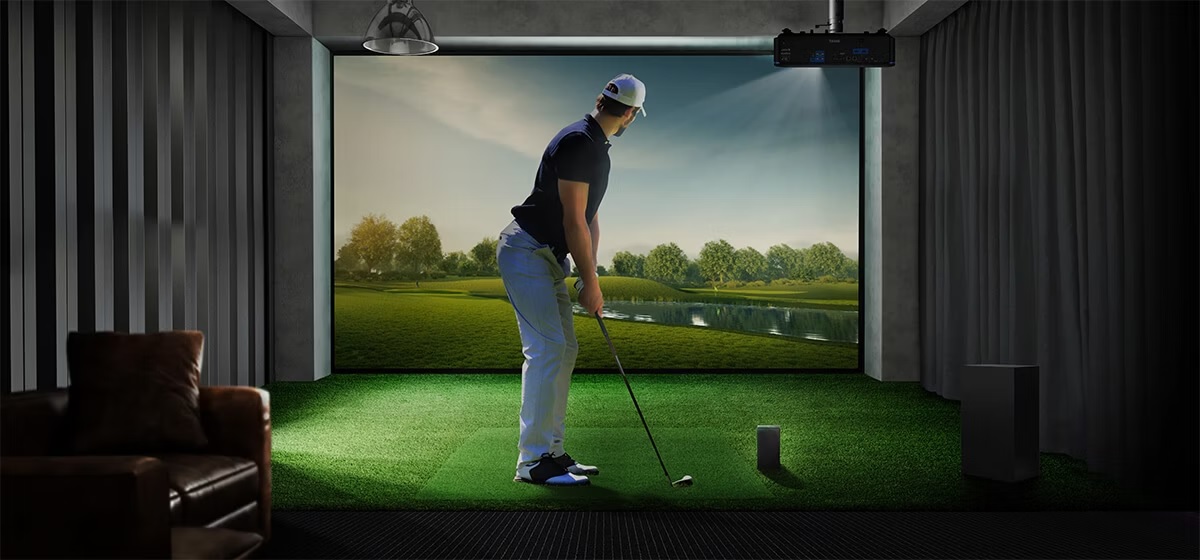
- The “Cool Factor” Costs You: Projectors, Enclosures, and Eye Candy
Want your simulator space to look like a Golf Channel studio? Get ready to pay for aesthetics.
Things like:
- Ultra-short-throw projectors ($800+)
- Custom enclosures or padded walls
- LED lighting and integrated AV
These don’t impact accuracy—but they boost the vibe. Decide early if you’re building a training zone or an entertainment space. Because the “cool stuff” racks up fast.
- Should You DIY or Hire It Out? Time vs. Money Tradeoff
Installing a simulator isn’t rocket science—but it’s not Lego either.
If you’re handy, DIY saves money. But you’ll spend time measuring, troubleshooting, and maybe even redoing mistakes. Hiring a pro installer can add $1,000–$3,000, depending on setup—but it’s fast, seamless, and often includes setup of software and calibration.
Ask yourself:
- Do you enjoy tech projects?
- Can you troubleshoot firmware issues?
- Is your free time worth the savings?
There’s no wrong answer—know what you’re signing up for.
- Do You Want It to Grow With You? Upgrade Paths Matter
This is a big one. Many people start with a petite size but plan to upgrade later. Brilliant idea—but only if your initial gear can support it.
For example:
- Some launch monitors can’t integrate with better software later
- Basic mats won’t align with larger screens
- Some PC-based systems have better longevity than mobile-based ones
If you think you’ll expand later, build with that in mind. It could save you thousands in replacement gear.
Final Thought: Make Every Dollar Count—Not Just the Big Ones
Here’s the truth most people don’t hear: it’s not just the price that matters—it’s the priority.
You don’t need the best of everything. You need the right balance of what matters to you. Skip the fluff, invest in what moves the needle, and build a space you’ll use.
We’ve helped folks make wise, flexible choices that work for their homes, families, and golf goals. You can do the same—with the right plan and a little inside knowledge.
Now that you know the real story behind indoor golf simulator price, you’re in a better position to build the setup that’s perfect for you—without overspending or under-delivering.
Let’s build smarter. Let’s play better.